
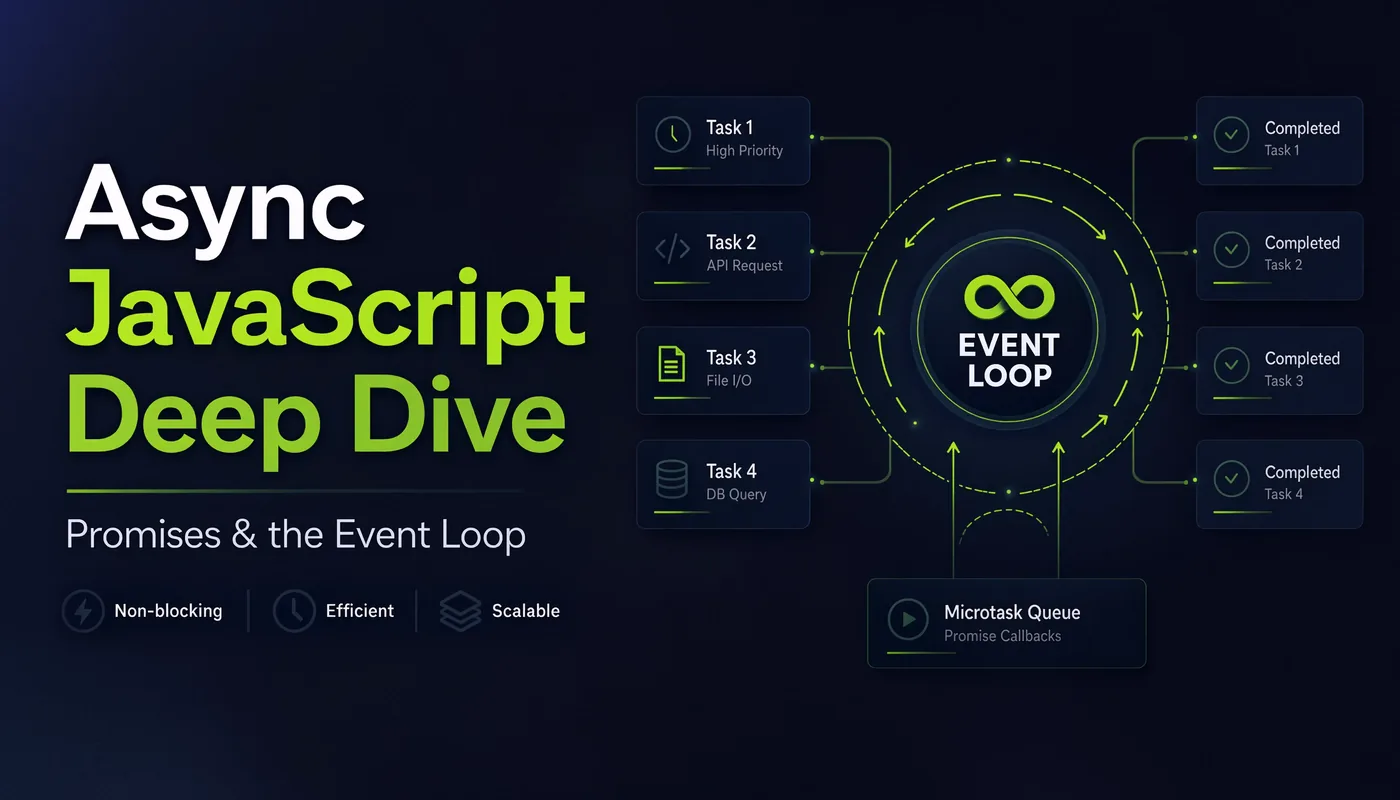
Async is where most developers hit a wall. You can write async/await
and it mostly works — until it doesn’t, and suddenly you’re
staring at logs printing in an order that makes no sense. The fix isn’t
memorizing more syntax. It’s understanding the one mental model
underneath it all: the event loop. Get that, and async stops being magic. I’m
Shivam Thakur — let’s build that model, piece by piece.
JavaScript does one thing at a time
JavaScript is single-threaded — it has one call stack and runs one line at a time. So how does it handle a network request that takes two seconds without freezing the whole page? It doesn’t wait. It hands the slow job to the browser (or Node.js), keeps running your other code, and gets notified when the job is done. That hand-off system is the event loop.
The event loop, explained
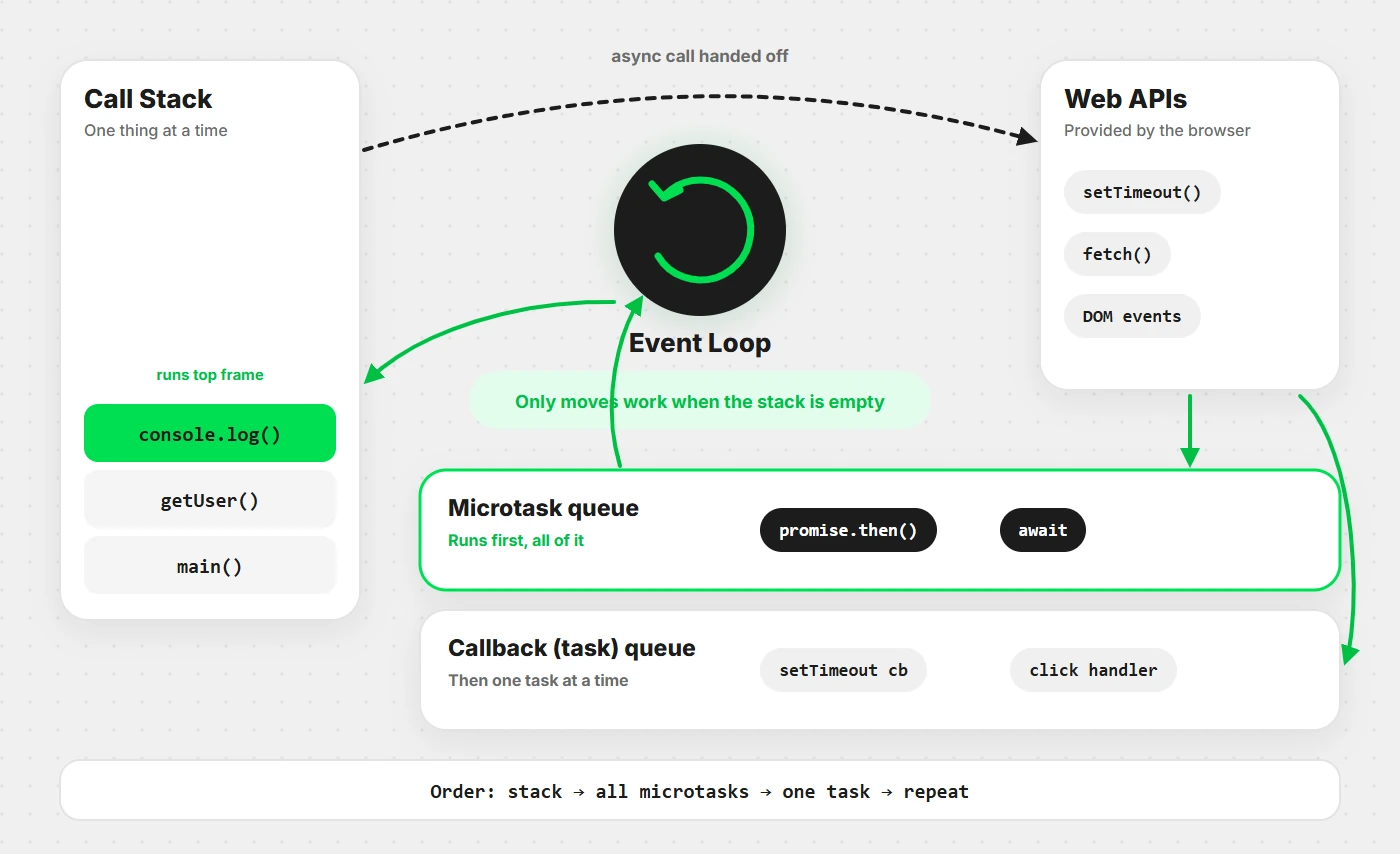
There are four pieces you need to picture:
- Call stack — where your code actually runs, one frame at a time.
- Web APIs — the browser/Node features that handle slow work (timers,
fetch). - Callback queue — where finished tasks line up, waiting for their turn.
- Event loop — the traffic cop that moves queued tasks onto the stack when it’s empty.
This classic example proves the model:
console.log("1");

setTimeout(() => console.log("2"), 0);

console.log("3");

// Output: 1, 3, 2   ← not 1, 2, 3!
Even with a 0ms delay, "2" prints last. The
setTimeout callback is sent to the queue and can only run
after the main code (the synchronous "1" and "3")
finishes. The event loop never interrupts running code.
Callbacks & callback hell
The original way to handle async was a callback — “run this function when you’re done.” It works, but nesting them for step-by-step tasks gets ugly fast:
getUser(1, (user) => {
  getOrders(user, (orders) => {
    getDetails(orders[0], (details) => {
      console.log(details);   // 3 levels deep and climbing 😵
    });
  });
});
This rightward drift is the infamous “callback hell” (or “pyramid of doom”). Promises were invented to flatten it out.
Promises
A promise is an object representing a value that will arrive
later. It’s in one of three states: pending, fulfilled, or
rejected. You chain .then() for success and
.catch() for errors:
fetch("https://api.example.com/user")
  .then(response => response.json())
  .then(user => getOrders(user))
  .then(orders => console.log(orders))
  .catch(error => console.log("Failed:", error));
The nesting is gone — it reads as a flat chain. Each .then()
passes its result to the next. One .catch() at the end handles a
failure anywhere in the chain.
async / await
async/await is syntactic sugar over promises that lets async code
read like synchronous code. Same logic as above, but linear:
async function loadOrders() {
  try {
    const response = await fetch("https://api.example.com/user");
    const user = await response.json();
    const orders = await getOrders(user);
    console.log(orders);
  } catch (error) {
    console.log("Failed:", error);
  }
}

loadOrders();
Two rules: await only works inside an async function, and
await pauses that function (not the whole page) until the
promise settles. Wrap it in try/catch so a rejected promise
doesn’t crash silently.

async/await didn’t replace promises — it’s a nicer way to write them. Under the hood, it’s promises all the way down.
Running tasks in parallel
Here’s a mistake that quietly makes apps slow. If tasks don’t depend on
each other, await-ing them one by one wastes time:
// ❌ Slow — waits for each in turn (3s total)
const a = await fetchA();   // 1s
const b = await fetchB();   // 1s
const c = await fetchC();   // 1s

// ✅ Fast — all at once (1s total)
const [a, b, c] = await Promise.all([fetchA(), fetchB(), fetchC()]);
Promise.all fires them all off together and waits for the slowest.
Use it whenever independent async work can overlap. (If you want results even when
some fail, reach for Promise.allSettled.)
Microtasks vs macrotasks
The final piece that explains “why did this log first?”
There are two queues, and one has priority. Promise callbacks are
microtasks; setTimeout callbacks are macrotasks. After each
chunk of code, the loop drains all microtasks before touching the next
macrotask:
console.log("start");

setTimeout(() => console.log("timeout"), 0);   // macrotask

Promise.resolve().then(() => console.log("promise"));  // microtask

console.log("end");

// Output: start, end, promise, timeout
The promise beats the setTimeout(0) because microtasks always run
first. Knowing this single rule explains 90% of “why is my async order
weird” confusion.
Wrapping this up
JavaScript runs one thing at a time, offloads slow work, and the event loop feeds
finished tasks back onto the stack — microtasks (promises) before macrotasks
(timers). Callbacks became promises, promises got the async/await
makeover, and Promise.all lets independent work run together. That’s
the whole picture.
Still shaky on the basics? Start with my complete JavaScript guide for beginners. Then open your console and run the two ordering examples above — predicting the output before you hit Enter is how this locks in. 🚀